
NewsBreak: Local News & Alerts
Particle Media Inc.News & Magazines
4.6150.14K Reviews
- Version
- 26.43.1
- Installs
- 50.00M
- Age Rating
- Teen
Screenshots
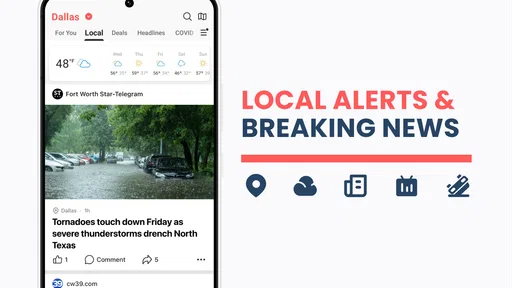
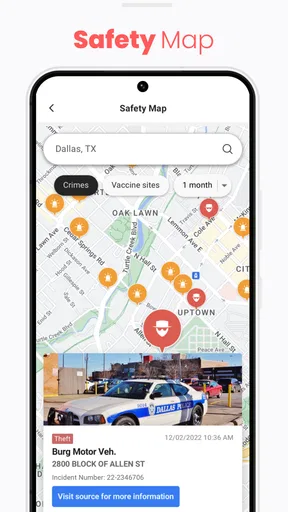


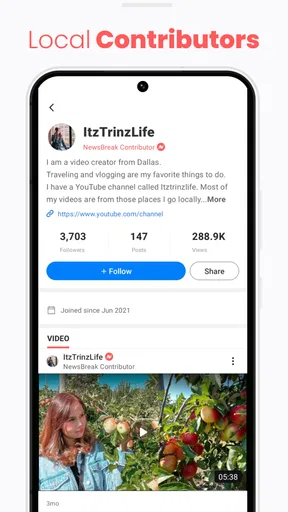
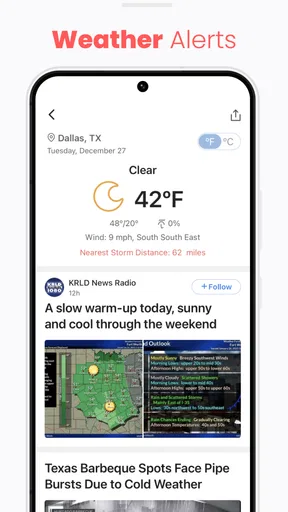
Our Review of NewsBreak: Local News & Alerts
 Analysis by Appyee
I like to start a local-news routine with a simple question: what do I need to know about the place I’m in today? NewsBreak: Local News & Alerts is built around that kind of check-in, bringing nearby stories together with broader coverage. It suits people who want local headlines within easy reach, though I wouldn’t treat any single feed as a complete picture of the news.
A practical morning routine
My most useful way to approach the app is to open it with a purpose rather than scroll without a plan. I first scan the local headlines for anything that could affect the day, then move to subjects I follow more closely. That order keeps neighborhood updates from being lost among national stories and gives me a quick sense of what deserves a longer read.
For example, before leaving home, I might check for a change affecting a familiar area, then save my attention for a story that needs context. If nothing relevant has changed, I can close the app instead of letting an endless stream of headlines take over the morning. The value is not only in seeing more stories; it is in building a repeatable check that helps me decide what matters now.
Who gets the most from it
This is a natural fit for someone who has recently moved, regularly travels across nearby neighborhoods, or wants a convenient way to notice local coverage alongside general news. It can also help people who prefer a quick headline scan before choosing which articles to read in full. Particle Media Inc. develops the app, which sits in the news and magazine category rather than trying to be a dedicated source for just one subject.
I would be more cautious about recommending it as the only news source for someone who needs deep reporting on a single topic. A specialist publication may offer more sustained coverage of a beat, while a local newspaper’s own app can be a better choice for readers who already trust and want to follow that outlet. NewsBreak is most useful as a convenient starting point, not a replacement for careful source selection.
Notifications without letting them run the day
Alerts can make local coverage useful at the moment it matters, but every notification also competes for attention. I’d begin with a small set of interests and locations, then adjust only after noticing which alerts genuinely change a decision. If a headline repeatedly proves irrelevant, muting that topic or reducing its place in your routine is more practical than reflexively opening every notification.
A helpful habit is to separate urgent checks from casual reading: glance at an alert when its subject could affect your plans, but leave broader browsing for a time when you can assess the story calmly. That distinction makes a personalized feed feel like a tool rather than a constant interruption. It also helps avoid treating a notification’s appearance as proof that a story is important to you.
Keeping You in the Loop
We live in a world where news travels fast, and NewsBreak ensures you’re always in the know. It’s like having a personal news assistant in your pocket. The app aggregates news from hundreds of sources, bringing everything from political updates to feel-good stories right to your fingertips.
Customizing Your News Experience
One of the standout features is the degree of customization it offers. You can tailor your feed to suit your interests, whether you’re into sports, entertainment, or local happenings. It’s super easy to set up, and before you know it, your news feed feels like it was designed just for you. I really appreciated the ability to mute topics I wasn’t interested in. Goodbye, celebrity gossip!
To make that customization useful over time, I’d review the feed after a few days rather than trying to perfect it on the first visit. Notice which subjects are too broad, which ones deserve a regular place, and which kinds of stories you keep skipping. Muting a distraction is one side of the process; deliberately keeping room for an unfamiliar but relevant local issue is the other. A tightly filtered feed can feel efficient, but it can also narrow what catches your eye.
Local Alerts That Matter
What really sets this app apart is its focus on local news. You can set alerts for specific locations, ensuring you get the latest updates in your area. Whether it’s weather alerts or local crime reports, you’re always a step ahead. I found this particularly useful during the recent storm season, as I received timely notifications about weather changes.
Location choices are worth thinking through if your day regularly takes you beyond home. A commute, a second workplace, or family in a nearby area may make more than one place relevant; at the same time, adding every place you pass can make alerts less meaningful. I’d keep the selection tied to decisions I actually make, then use the feed for broader curiosity rather than turning every location into a notification source.
Sleek and Simple Interface
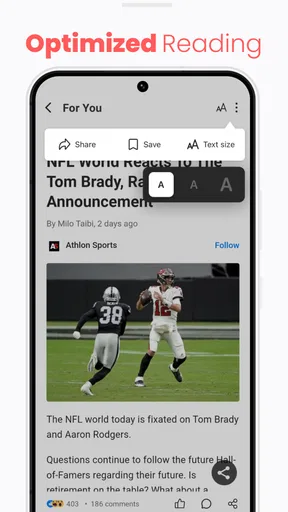
The app’s design is sleek and user-friendly. Navigating through the app is a breeze, thanks to its intuitive layout. Articles load quickly, and the text is easy to read. Plus, it’s not cluttered with ads, which is a huge plus in my book. It’s clear that the developers put a lot of thought into the user experience.
For a faster read, I use the headline list as a triage step: open only the stories that answer a question I have, explain a local development, or add useful context. That small rule cuts down on tapping through articles simply because they appear in the feed. If I’m comparing coverage, I also look at who published a story rather than assuming that two similar headlines offer the same reporting or perspective.
"NewsBreak is like having a personal news assistant in your pocket."
Staying Connected with the Community
Another cool feature is the community aspect. You can comment on stories and engage with other users. It’s a great way to see different perspectives and join discussions. I found this particularly engaging, as it adds a layer of interaction that’s often missing in news apps.
Comments work best for me as a prompt to notice questions or viewpoints I had not considered, not as a substitute for checking the article itself. A lively thread can broaden a conversation, but it can also pull attention away from what the reporting actually establishes. I’d read the story first, then decide whether joining the discussion adds anything worthwhile.
Where it fits among news apps
Compared with opening several local outlets one by one, a news aggregator is convenient because it brings different coverage into a single browsing habit. That convenience is also a trade-off: a combined feed is not the same thing as following a publication directly. If I want one newsroom’s ongoing reporting or a particular writer’s work, I’d use that outlet’s own app or site. For an overview of what is being covered around me, NewsBreak is the more practical first stop.
It is also different from relying on social feeds for breaking conversation. Social posts can surface eyewitness reactions quickly, but they are easy to encounter without enough context. Here I can start with an article and then, if useful, look at the discussion around it. Neither approach removes the need to judge sources, but separating the report from the reaction makes it easier for me to keep those roles straight.
What to expect from the free app
NewsBreak is free to download, and its current version is 25.52.0. It has a 4.6 average from around 610,000 ratings, with over 50 million installs. Those figures suggest that it has reached a wide audience, but popularity alone doesn’t tell me whether its local coverage will match every reader’s needs. The app is rated for Teen audiences, and optional in-app purchases range from ten cents to thirteen dollars per item, so I’d pay attention to any purchase prompt rather than assuming every available item is part of the free experience.
It first arrived on June 17, 2016, and supports devices running version 8.0 or later of its operating system. The number of ratings and reviews gives a sense of how widely people have used it, but I’d make the decision based on the feed I actually see in my area. Local usefulness can vary with where you live and which subjects you follow, so a short trial is a better test than general popularity.
Limits worth keeping in mind
Personalization can make a feed feel relevant, yet it can also create blind spots if I mute too much or only open familiar subjects. I try to leave some space for stories outside my usual interests and to check the publisher when a claim could affect a real decision. For important matters, especially something time-sensitive, I would compare the article with an appropriate official source or a trusted local outlet rather than relying on a headline alone.
There is also a difference between receiving an alert and getting a complete account. A notification is a pointer to coverage, not a guarantee that every useful detail is already there. When an update matters, I open the article, check its context, and look for follow-up reporting before acting. That extra step is a sensible habit in any news app, and it matters especially when a quick alert could otherwise feel definitive.
A measured verdict for everyday use
Overall, NewsBreak: Local News & Alerts is a must-have for anyone who wants to stay informed about what’s happening both locally and globally. It’s convenient, customizable, and keeps you connected. Whether you’re a news junkie or just someone who likes to stay informed, this app has got you covered.
My recommendation is a little more specific: try it if local headlines are part of your daily decisions and you want a single place to browse coverage from multiple sources. Set a modest group of interests and locations, check the feed at a time that suits you, and adjust based on what proves useful. If you need a focused editorial voice, exhaustive specialist reporting, or a feed that never requires source-checking, a dedicated publication or another carefully chosen source may serve you better. Used with those limits in mind, this is a handy way to stay oriented without making the news your whole day.
Privacy and Permissions
See what permissions an app requests and how it handles your data.
- Contacts
- read your contacts
- Location
- approximate location (network-based), precise location (GPS and network-based)
- Photos/Media/Files
- read the contents of your USB storage, modify or delete the contents of your USB storage
- Storage
- read the contents of your USB storage, modify or delete the contents of your USB storage
- Camera
- take pictures and videos
- Microphone
- record audio
- Wi-Fi connection information
- view Wi-Fi connections
- Other
- view network connections, measure app storage space, full network access, close other apps, run at startup, draw over other apps, control vibration, prevent device from sleeping, toggle sync on and off, Google Play license check, read Google service configuration
Verdict
Strengths of NewsBreak: Local News & Alerts
- Timely local news updates.
- Customizable news feed.
- User-friendly interface.
- Real-time weather alerts.
- Wide range of news sources.
Limitations of NewsBreak: Local News & Alerts
- Contains ads in free version.
- Occasional notification overload.
- Limited offline access.
- In-app purchases for premium.
- Sometimes slow load times.
Other Releases by Particle Media Inc.
View All
NewsBreak Lite
News & Magazines4.7
Similar Picks in This Category
View All
Google News - Daily Headlines
Google LLC4.0

X
X Corp.4.8

Flipboard:Your Social Magazine
Flipboard3.4

Opera News: breaking & local
Opera4.5

Hindi News by Dainik Bhaskar
Dainik Bhaskar Group4.0

Way2News Daily News App
Way2News ( Formerly Way2SMS )4.6
You May Also Like
View All


Frequently Asked Questions
What is NewsBreak and how does it work?
NewsBreak is a news aggregation app that curates local and national news stories based on your location. It provides real-time alerts and personalized content tailored to your interests. Once you download and install the app, you can set your location preferences and choose topics you wish to follow. This ensures you receive the most relevant news updates.
Is NewsBreak free to use, and are there in-app purchases?
NewsBreak is free to download and use, offering a range of features without any cost. However, to enhance your experience, the app may offer optional in-app purchases. These could include ad-free versions or premium content subscriptions. Be sure to check the app store for any current pricing details or special offers.
How does NewsBreak ensure the accuracy of its news content?
NewsBreak aggregates news from a variety of trusted local and national sources, aiming to provide accurate and timely information. The app partners with reputable publishers and employs algorithms to filter and recommend news. Users can also report any misleading content, helping to maintain the app's credibility and reliability.
Can I customize the news alerts I receive from NewsBreak?
Yes, NewsBreak allows you to customize the alerts and notifications you receive. You can select specific topics, locations, or even mute certain categories. This ensures you only get notifications that matter to you, making it easy to stay informed without being overwhelmed by irrelevant updates.
Does NewsBreak require access to my personal data?
To function effectively, NewsBreak may request access to certain personal data such as your location, usage patterns, and preferences. This data helps personalize your news feed and improve the overall user experience. Rest assured, NewsBreak follows stringent privacy policies to protect your data and ensure it is used responsibly.
